
News › Feature
Share your team hub with a link
Copy a link in Pacenote and send it to a teammate: their Pacenote opens with your hub filled in, or shows them how to install it first.
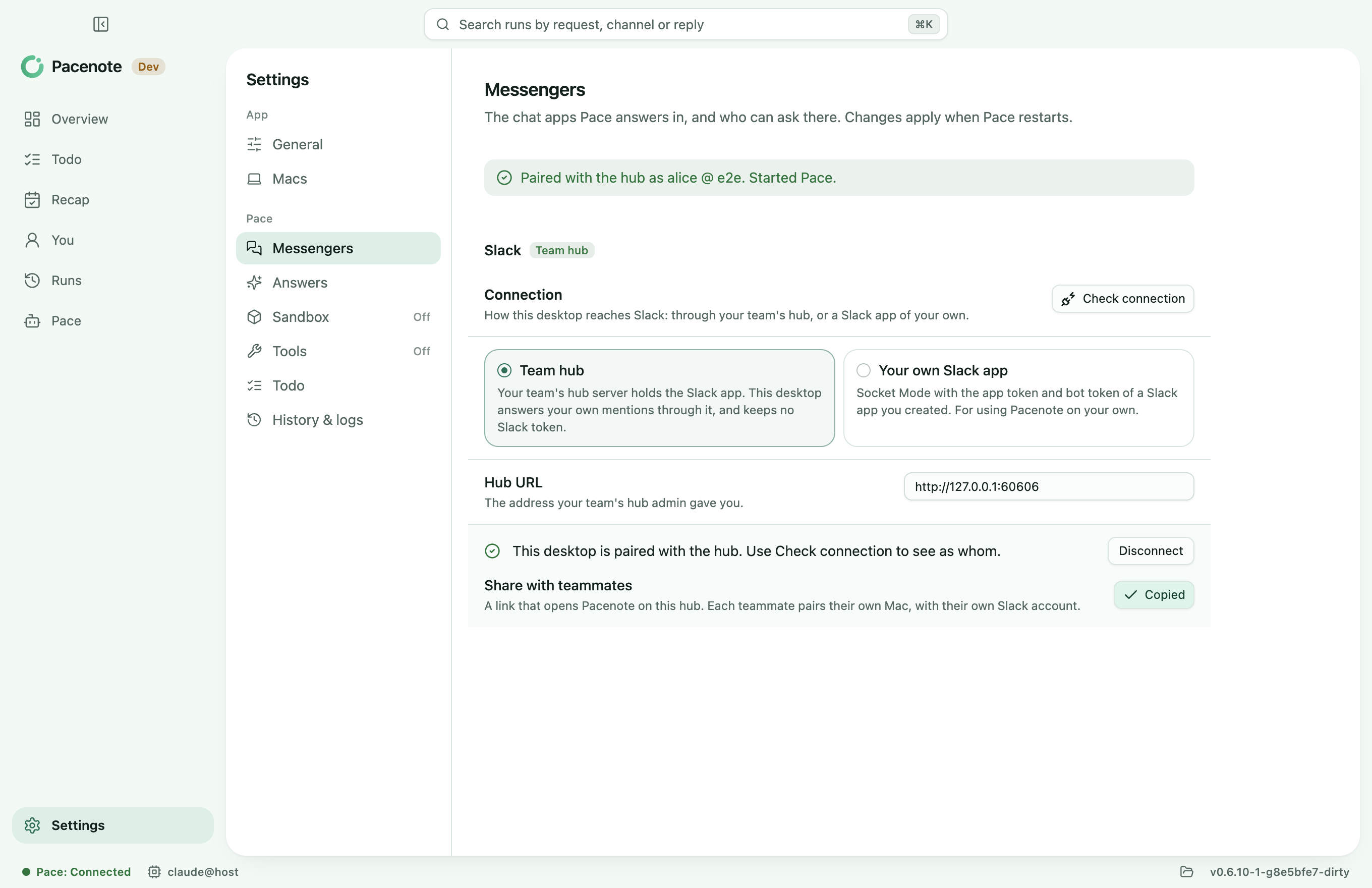
Joining a team hub used to start with an address to pass around. Now, once your Mac is paired, Copy share link in Settings > Messengers > Slack copies a link you can send in Slack or by mail.
How it goes
- Choose Copy share link under Share with teammates.
- Send the link to a teammate.
- They open it and choose Open in Pacenote. Their Pacenote opens with the hub filled in; they connect, send the code to
@Paceand confirm it is them.
A teammate without Pacenote sees how to install it on the same page, then opens the link again: setup's Slack step takes the hub from it. Their steps are in the guide, Join your team's hub.
Why a web link
A pacenote:// link is not one Slack or mail reliably makes clickable, and on a Mac without Pacenote it does nothing. So the link goes to pacenote.dev's join page, which opens Pacenote with that same pacenote:// link, or shows the install.
The hub's address stays in the browser
The address is after the # in the link, which browsers never send: neither pacenote.dev nor a link preview sees it, and the join page counts nothing. The link holds no secret, and nothing changes on a teammate's Mac until they connect.
Update
brew update && brew upgrade --cask pacenote