
Guide › By screen
Todo
What people ask of you in Slack and what you said you would do, gathered for you, with a click to finish or continue each.
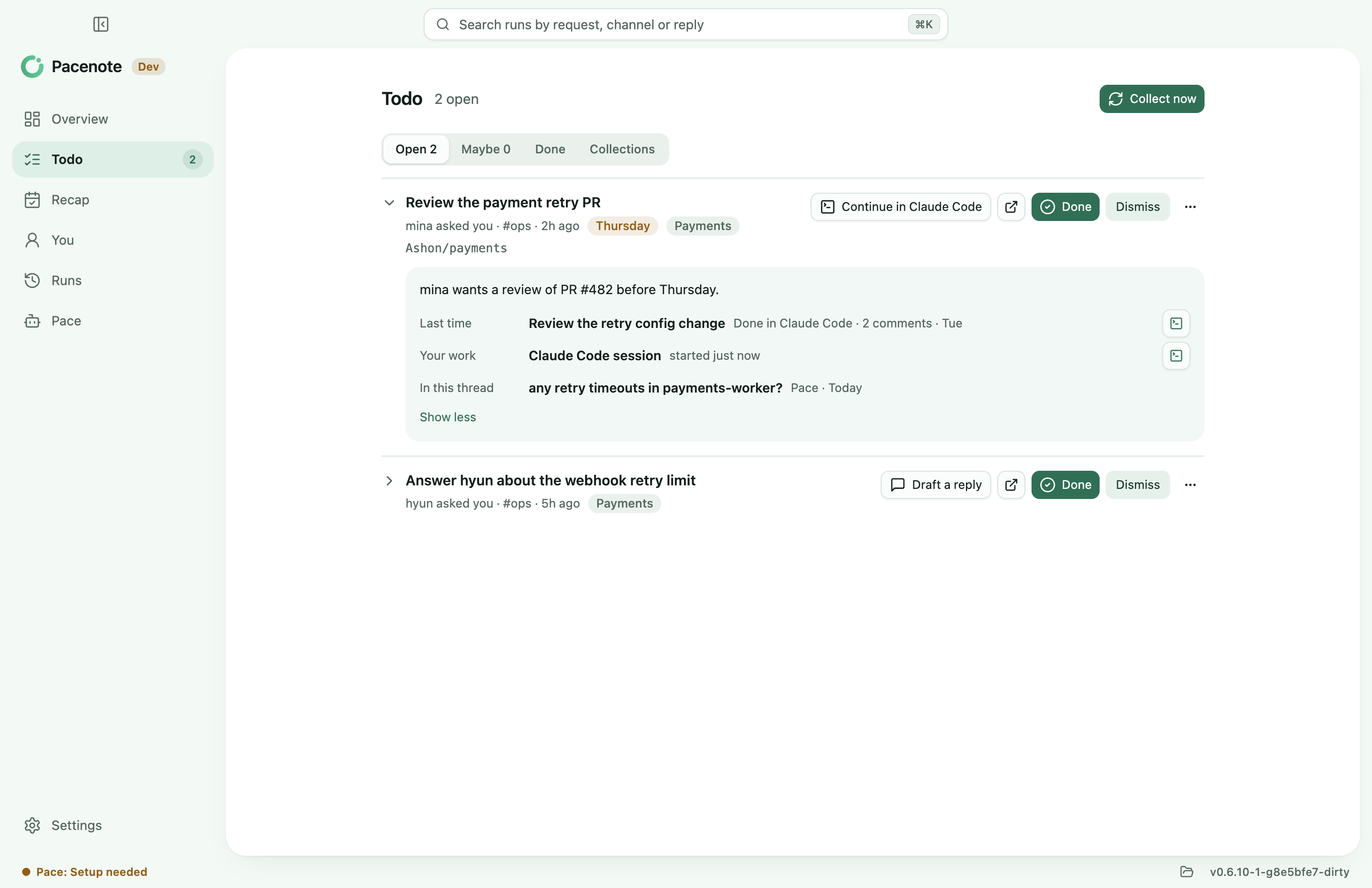
Todo keeps a short list of what people ask of you in Slack, and what you said you would do, so you do not keep it in your head or scroll back for it.
Turn it on
- Sign in to Claude Code on this Mac, and connect Slack in claude.ai's Settings > Connectors. Codex with ChatGPT's Slack app works too.
- In Settings > Todo, turn on Gather my tasks from Slack. DMs stay out unless you turn on Count DMs and group DMs.
- On Todo, choose Collect now. It takes a minute or two; the screen shows how far it got, and what it added.
Collect now reads Slack read only, through your AI tool's own Slack connector. Pacenote holds no Slack token for it.
Today
Above the tabs, up to three lines: the ask that waits on you (one with a due date first, else the oldest), the task in progress to pick up, and the one waiting longest on someone else. A line shows only when it has a task.
The tabs
- Open: what someone asked you by name, in a DM or through a group that means you, and what you said you would do. A task in progress comes first.
- Waiting: what waits on someone else, the longest first. A task comes back to Open when a collection finds something new in its thread, or with Back to open. The tab shows once a task waits.
- Maybe: what the collection was not sure of, such as an
@here. It stays out of the list until you keep it. - Done: what you settled, with why, ten at a time. Reopen brings one back.
- Collections: the collections of the last 7 days, each opening its run.
A task's buttons
- Done and Dismiss are one click. Dismiss can say why: not for me, already done, not worth it.
- Continue in Claude Code (or Codex, or opencode) opens a session in the task's repository, with the task and what came before it.
- Draft a reply writes a reply for you to send in the thread. Pacenote never posts it.
- More has Mark in progress and Waiting on someone else. A task is in progress by itself when a session worked on it in the last day.
Add a task of your own
New task (⌘N) adds one to Open, kept on This Mac. Its project is guessed from its words and can be changed; only a project with a repository is offered, as a task joins a project by its repository.
Open tasks fade after 7 days and drop after 14.
More
Who you are in Slack, the sessions you start yourself and when a task looks done are in Your tasks from Slack.